As low as 10% on select equity index and Treasury futures and 25% on select energy & metals contracts during the day‑trade window*.
Decisive move with the futures trade!
Put your tactics in action with TradeStation.
Options and futures trading is not suitable for all investors.
33% of active traders say they’re shorting NQ futures, too.
Shorting E-mini Nasdaq-100 futures can be tailored to your capital allocation and risk profile while harnessing the potential for profit if the index moves lower. It's a practical approach for expressing a bearish view on tech, using margin for efficient exposure without owning index ETFs. Be aware, sharp moves against your position can result in losses exceeding your initial margin, and extreme volatility can trigger rapid margin calls or liquidation if not managed carefully.
The TradeStation ecosystem, anchored by TITAN X, is built to help you execute futures strategies with precision. Scroll through to see how we can support your trades.
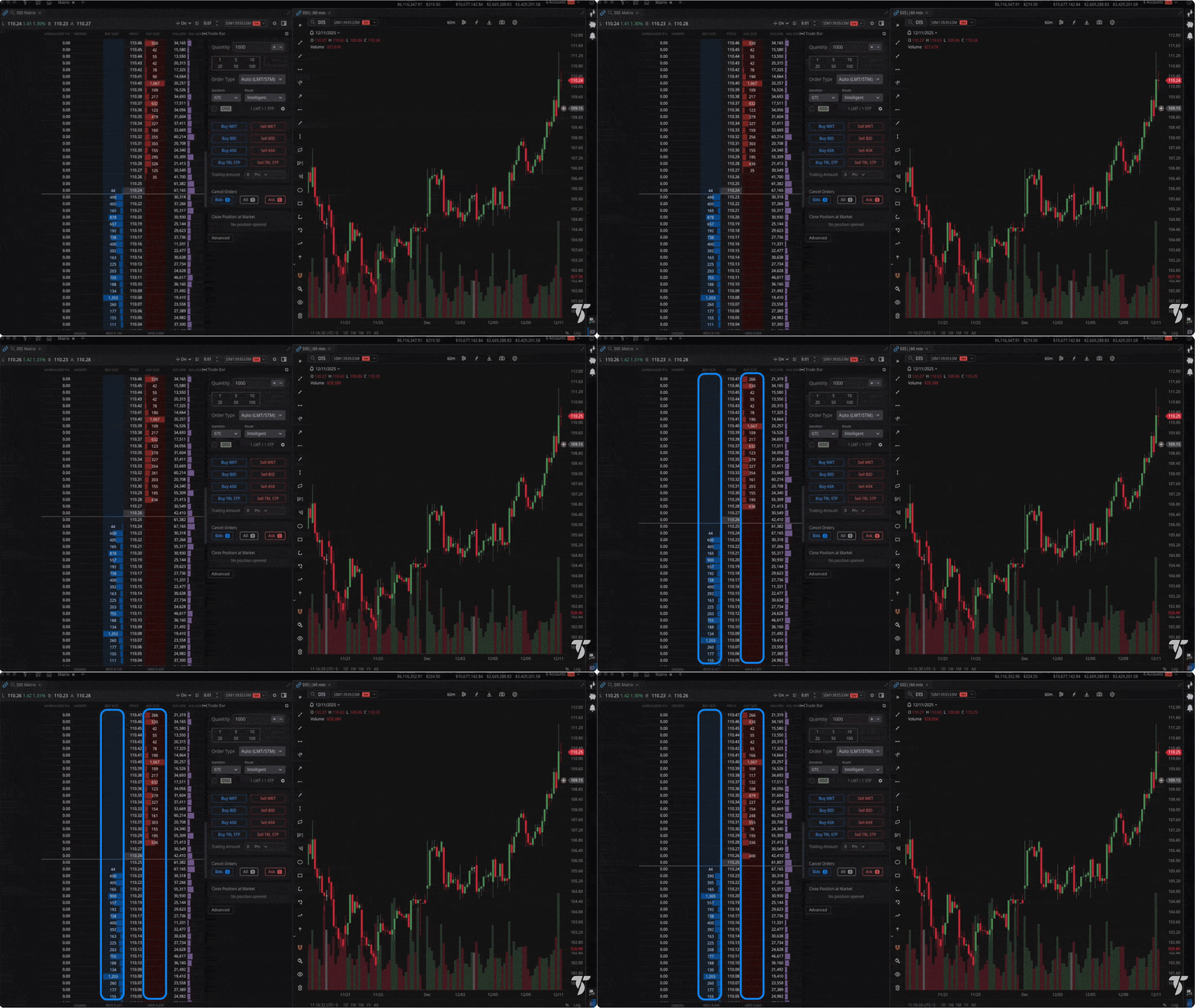
Matrix DOM ladder trading
Trade directly from real-time depth-of-market with one-click entries, drag-to-modify orders, and live position/P&L tracking in the Matrix ladder.
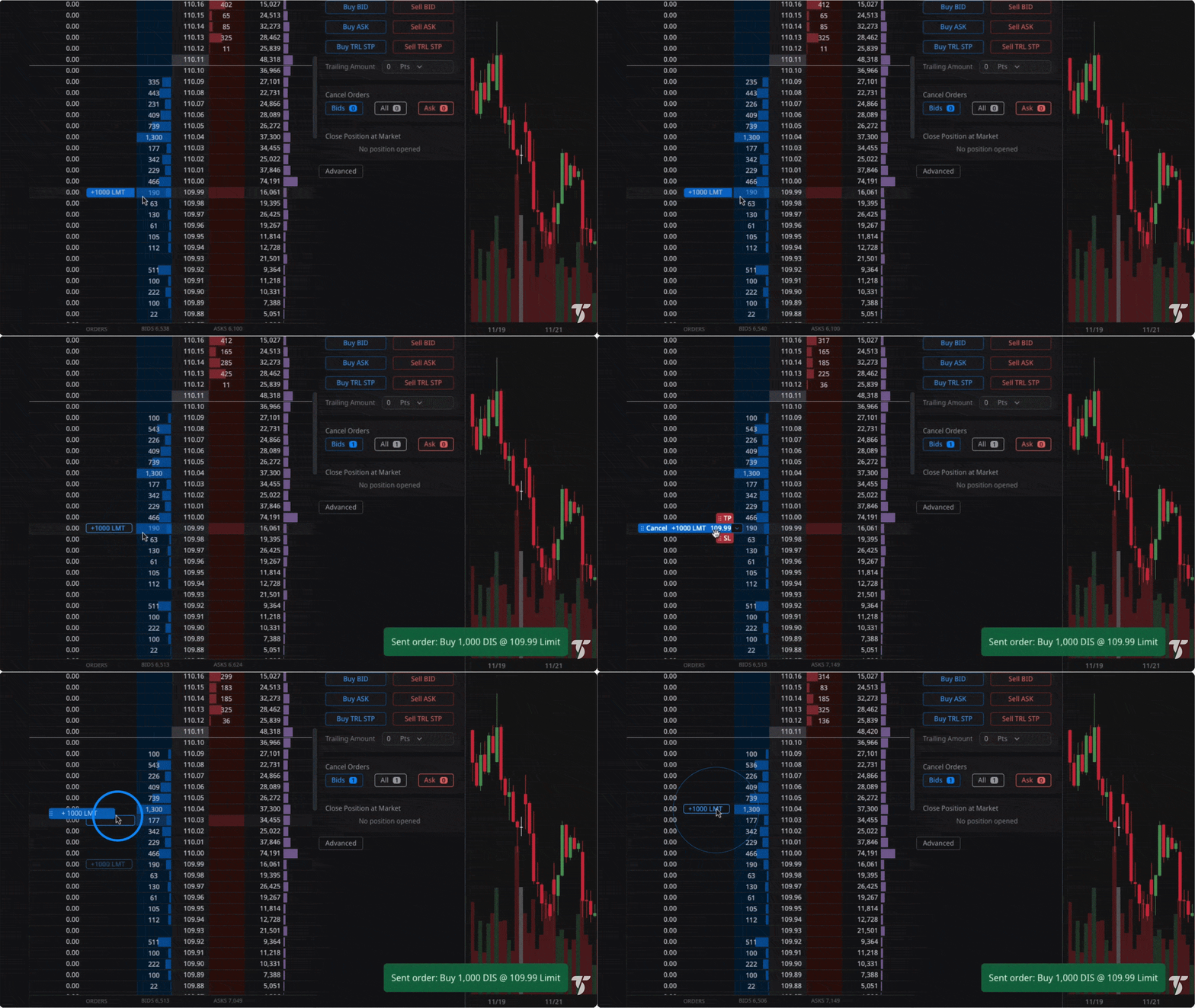
One-click order entry
Place, modify, or cancel from the ladder with Level II depth in seconds while watching order flow and liquidity at each price.
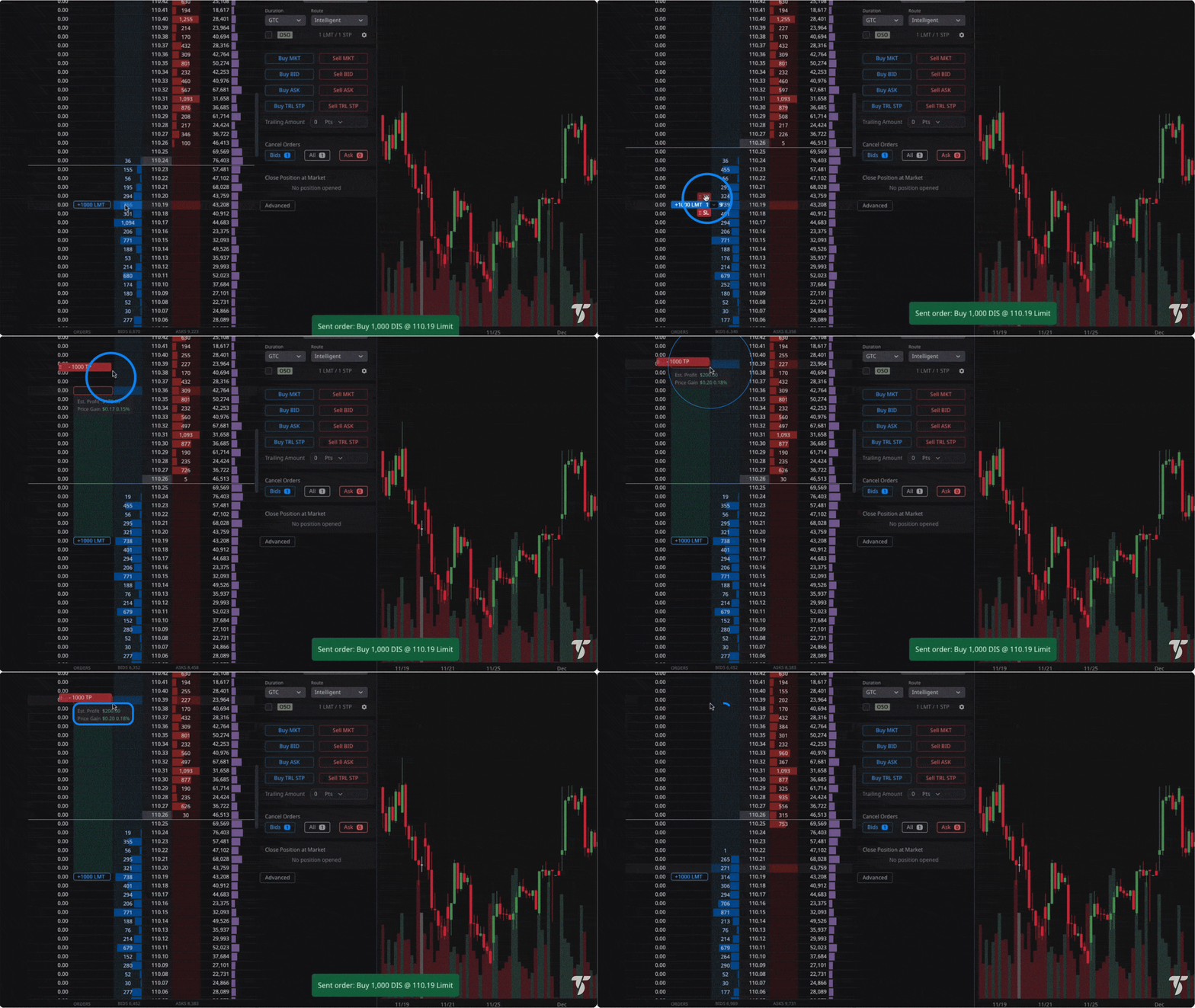
Drag-and-drop stops and targets
Adjust directly on the ladder to lock gains or reduce risk without leaving the DOM and see updates reflect instantly in TradeManager and P&L.
Intraday margin and buying power visibility
Leverage competitive day trade margin rates on popular futures with real time monitoring of margin usage, buying power, and firm stop order requirements for reduced intraday margins.
Intraday margin
Live margin and buying power updates
Get clear policy notes on liquidation risk if equity falls below maintenance during intraday leverage use.
Guidance and alerts
Enforce required stop‑order policy for reduced intraday margins and receive pre‑limit warnings as equity nears thresholds for timely adjustments or exits.
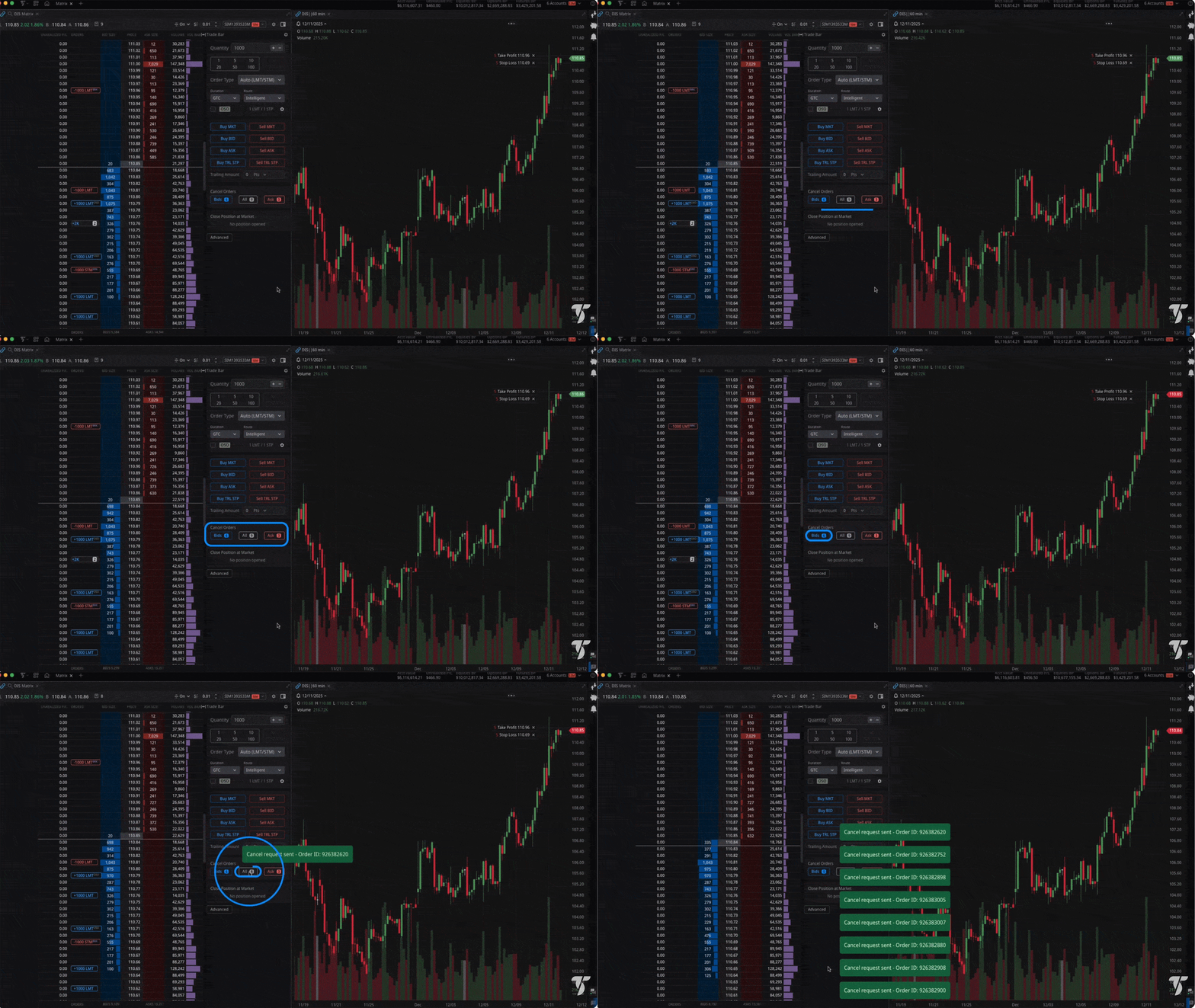
Advanced order types for futures
Automate entries and exits with bracket orders, OCO groups, and OSO chains, managed server-side so risk controls persist even if you disconnect.
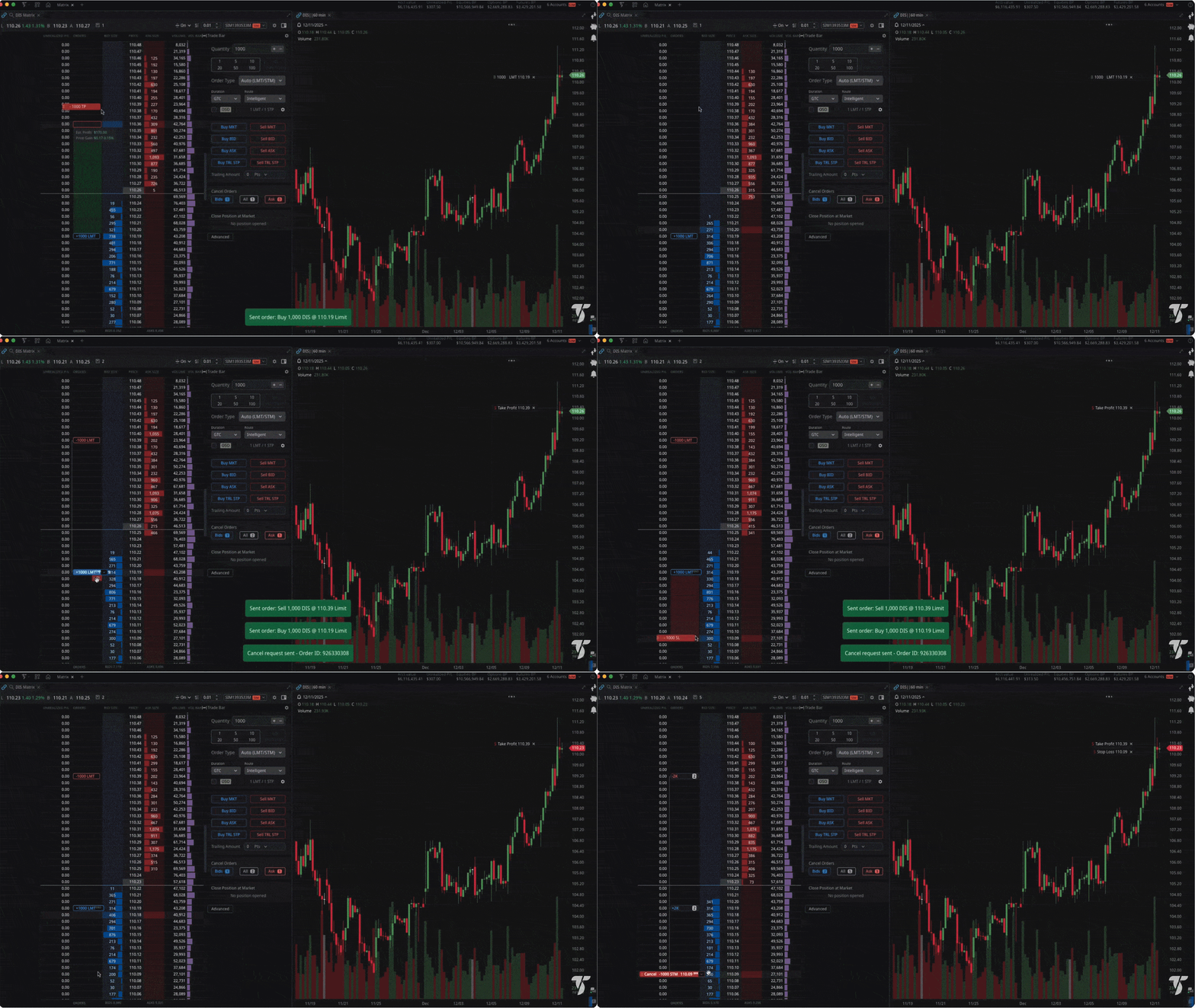
Bracket OCO on entry
Attach profit-target and stop-loss to every trade – if one fills, the other cancels automatically for hands-free risk management.
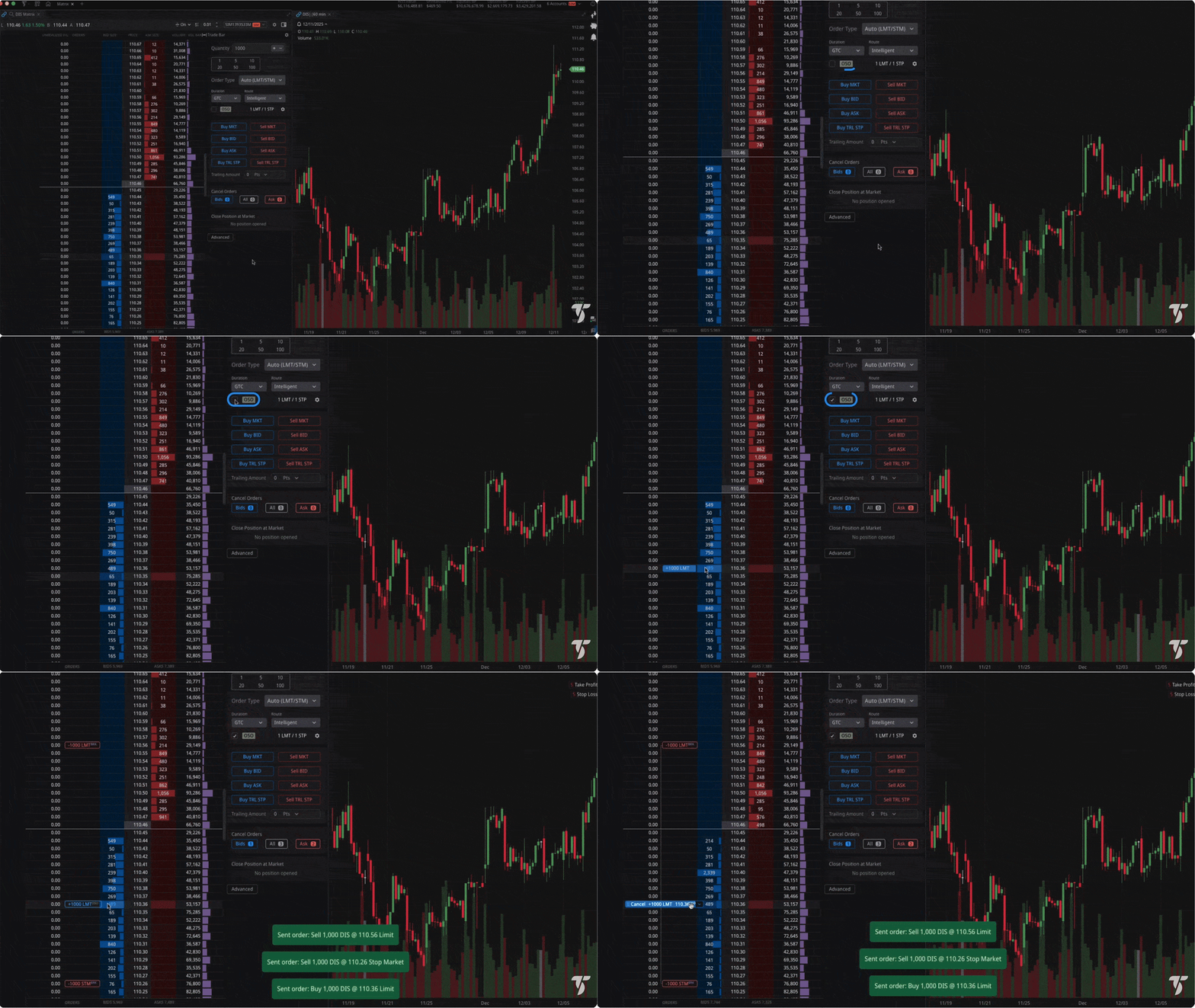
OSO sequencing
Trigger exit brackets or multi-step orders when your entry fills, supporting breakout and scale-out workflows without manual steps.
Hotkeys and rapid execution
Customize hotkeys to convert reflexes into trades, minimizing interface delay during high volatility events.
One key actions
Customize hotkeys to convert reflexes into trades, minimizing interface delay during high‑volatility events.
Combine with Matrix ladder
Create split‑second entries and risk adjust for risk easily when order flow shifts.
Flatten/reverse and cancel all
One‑key macros to flatten positions, reverse direction, or cancel all working orders, minimizing clicks during fast order‑flow shifts.
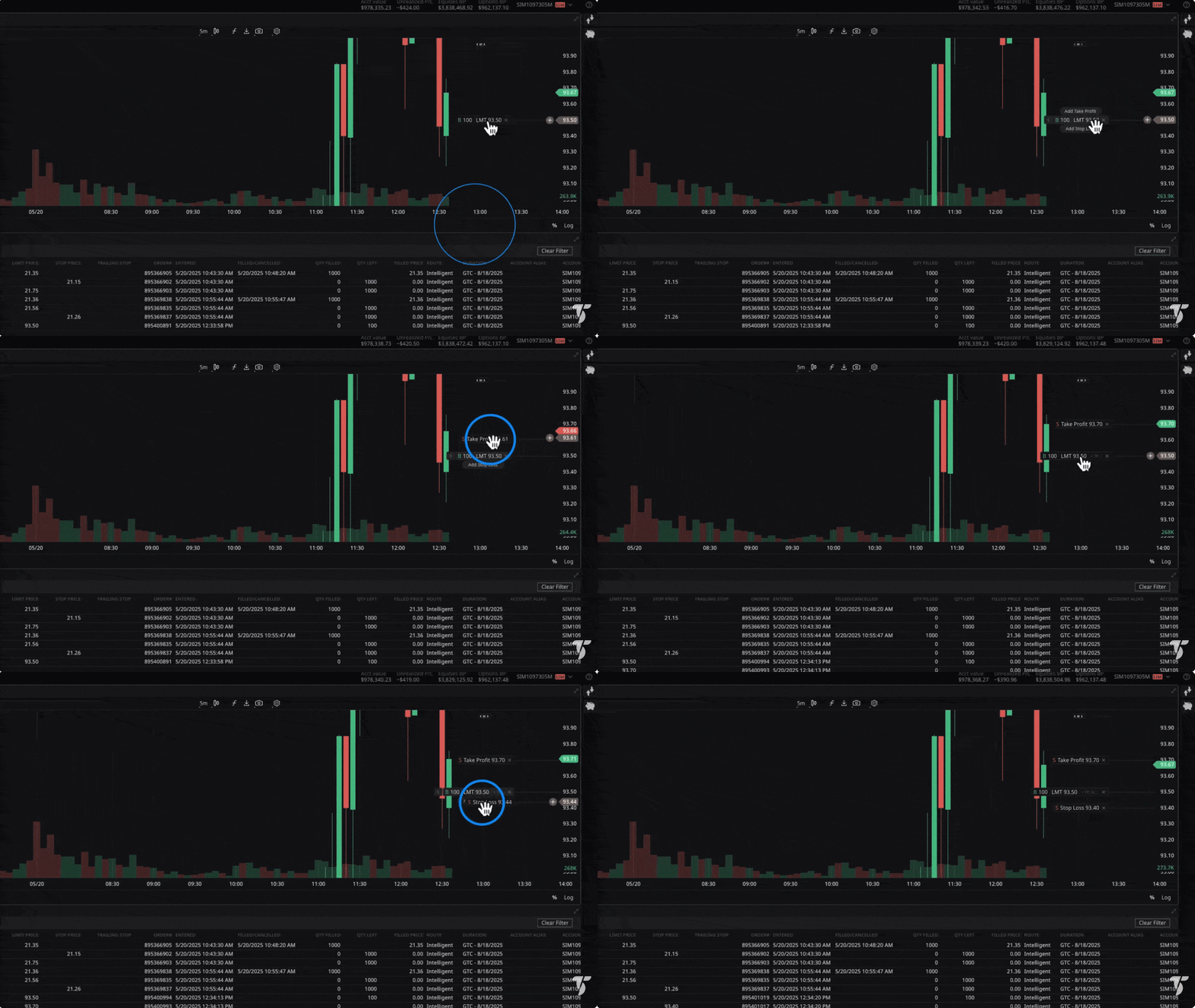
Chart trading and analytics
Analyze and trade directly from charts with multi-timeframe views, decades of intraday data, and breakout/fade OCO workflows, then adjust orders visually as markets move.
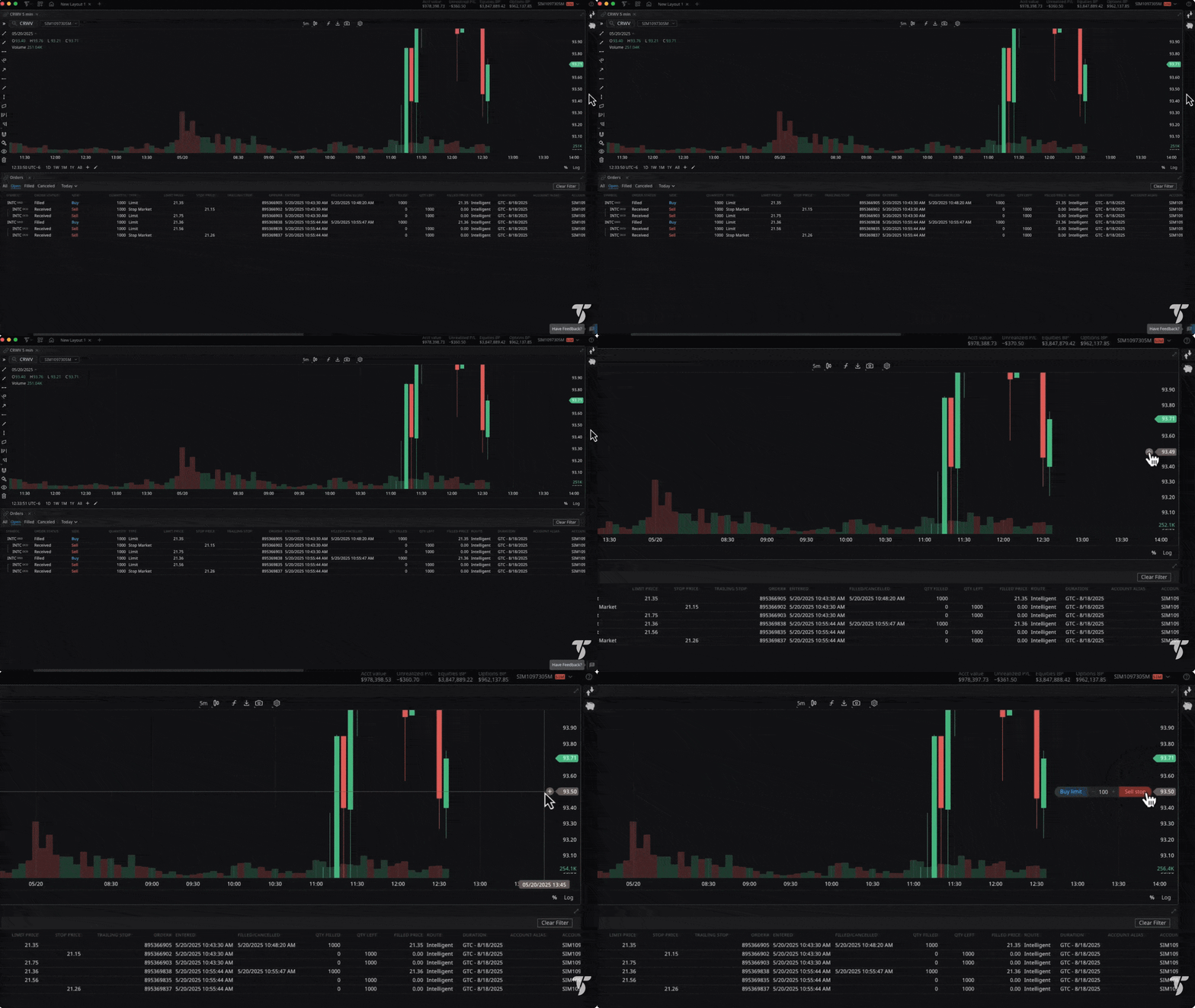
Place entries from charts
Breakout or fade with attached OCO brackets directly from charts to manage risk and targets without switching interfaces.
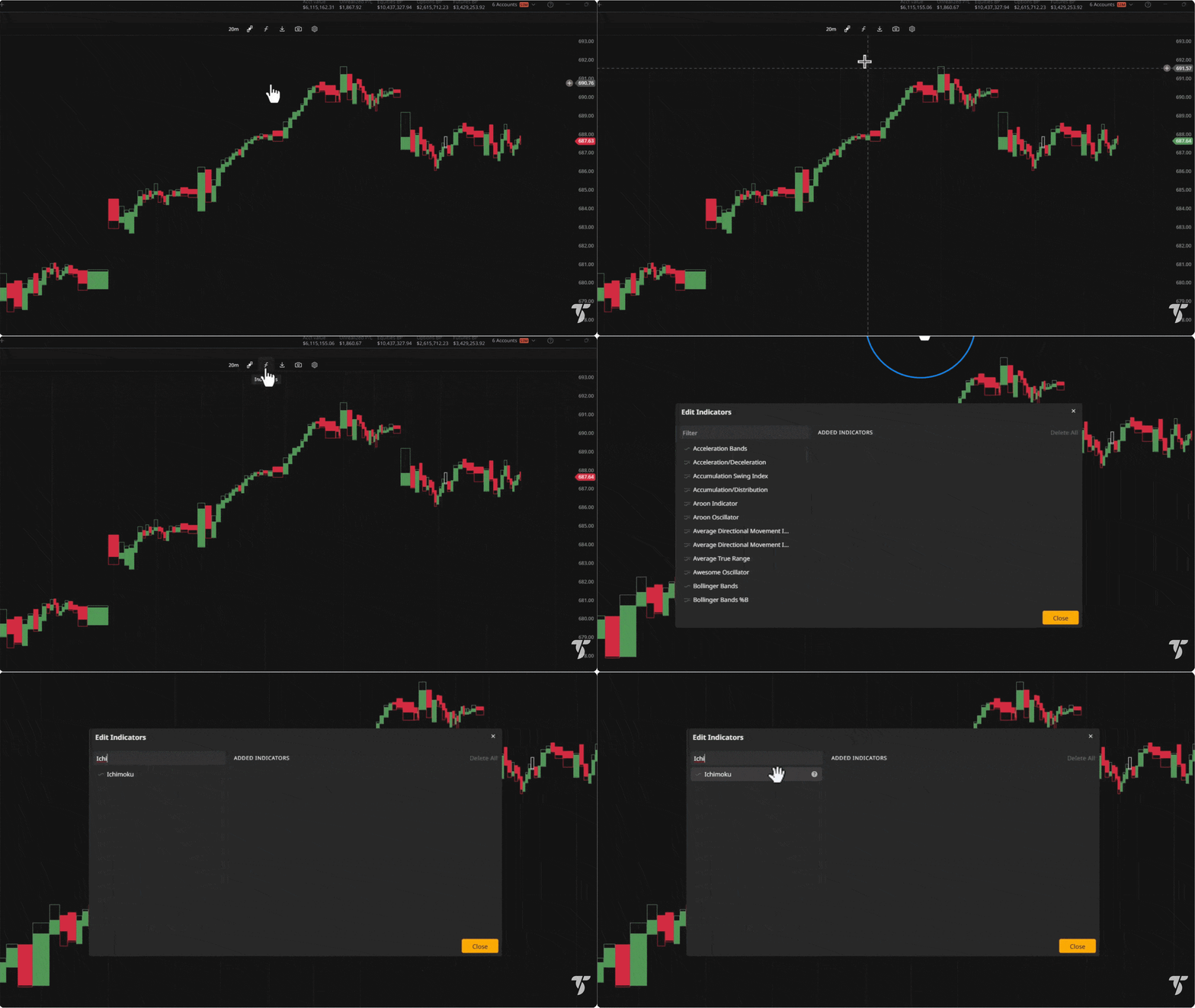
Multi-timeframe and studies
Analyze with synchronized intraday and higher-timeframe charts, depth overlays, and indicator sets, then route entries directly from the chart with attached brackets.
Supercharge your entire trading workflow
Bring the TradeStation ecosystem together to move from idea to execution across stocks, options, and futures with a single account, unified data, and cross platform continuity.
Integrated market discovery and alerts
Use RadarScreen and Hot Lists to monitor opportunities at scale with customizable columns and real time updates, then set conditions based alerts that sync across platforms to keep your workflow responsive.
Workflow personalization and automation
Leverage EasyLanguage® for strategy development and backtesting, and extend your setup with TradeStation’s multi asset API to integrate scanning, execution, and risk controls into custom apps—built on the same infrastructure that powers our platforms.
Cross platform continuity and oversight
Stay aligned wherever you trade: watchlists, orders, and positions remain in sync across Desktop, Web, and Mobile. Review chains and Greeks on the go, receive push alerts, and use simulated trading to practice flows.
This is just the tip of the iceberg. The TradeStation ecosystem goes much deeper.
Looking for a specific feature? We literally can’t show everything we’re capable of on one webpage. Connect with our team to find out how we can support your trading style.
Satisfy your natural curiosity
Sign up to learn more about how your options trading can thrive in the TradeStation ecosystem